Author: ChatPirate

  • How to Reduce Knee Pain After Running: Step-by-Step Rehab Plan

    Choosing the right approach for knee pain after running is the first move toward returning to consistent training. For runners with mild-to-moderate running-related knee pain, this step-by-step rehab plan shows how to assess cause, control pain, rebuild strength, and reintroduce running safely. Follow the progressive actions and checkpoints to reduce pain, restore function, and prevent recurrence.

    Table of Contents

    Quick Summary

    Key Point Explanation
    Assess location and onset Identify front, lateral, or posterior knee pain and whether onset was gradual or sudden to narrow the cause.
    Modify load immediately Reduce mileage by 30-70% or replace runs with biking/swimming until pain drops under 3/10.
    Follow an 8-week plan Phase A to C: restore motion, strengthen hips/core, then progressive run reintroduction with 10-20% weekly increases.
    Maintain strength twice weekly Continue 20-30 minute hip/core sessions 2x per week to reduce recurrence.
    Seek PT at 4-6 weeks If no consistent improvement in 4 weeks, book a physical therapy assessment.

    Introduction: Why Knee Pain After Running Happens (and Who This Plan Is For)
    Knee pain affects about 25% of runners and often stems from overuse, biomechanics, or weak hip and core muscles. Overuse injuries account for 50-70% of running injuries, so this plan prioritizes load management and progressive rehab. Runners with mild-to-moderate pain, no fracture, and no severe instability will benefit most; urgent medical care is necessary for red flags like severe swelling, locking, or fever.

    Step 1: Assess the Likely Cause and Severity

    This step narrows down the likely diagnosis and identifies red flags. Accurate assessment helps you choose the right early interventions and avoid doing more harm.

    Start with a short checklist: note pain location (anterior/front, lateral/side, posterior/back), onset (gradual over weeks versus sudden), and activities that aggravate the pain (stairs, squats, downhill running, sitting). Record pain level on a 0-10 scale at rest and after a short run or stairs. A quick movement test: sit-to-stand and single-leg squat – note pain and control.

    Match common patterns to likely causes: pain behind or around the kneecap that worsens with stairs or prolonged sitting suggests patellofemoral pain. Lateral knee pain that flares with downhill running or after sudden increased mileage suggests IT band friction. Pain with feelings of giving way or locking needs urgent review. If pain is sudden with a pop after a traumatic event, treat as acute ligament or meniscal injury and seek immediate care.

    Red flags: severe swelling within hours, mechanical locking, loss of ability to bear weight, fever, or severe night pain. If any red flags present, stop running and arrange urgent medical assessment. If no red flags, proceed to load modification and conservative rehab.

    Pro Tip

    Keep a simple training log for 7 days with mileage, surface, footwear, pain location, and pain score to reveal patterns and triggers.

    [IMAGE: Photo showing a runner marking pain location on a knee diagram and recording mileage in a notebook]

    Validate success: you can progress when you can do daily tasks (stairs, walking) with pain below 3/10 and no new mechanical symptoms.

    Step 2: Immediate Management – Pain Control & Load Modification

    This step reduces inflammation and stops progression so rehab can begin effectively. Immediate actions aim to lower load and protect the knee while you restore strength.

    Begin by cutting running mileage by 30-70% depending on pain severity, or replace runs with low-load cardio like stationary biking or pool running for 2-4 weeks. Aim for 30-45 minutes of cross-training at a perceived exertion of 5-7/10, avoiding movements that reproduce knee pain. Schedule at least 1-2 full rest days per week; rest reduces injury risk by about 30%.

    Apply ice to the painful area for 10-15 minutes after activity for the first 72 hours or after runs that flare symptoms. Use relative rest rather than complete immobilization – continue daily walking and gentle range-of-motion. If using NSAIDs, follow label guidance or provider directions and use short-term only while you reduce load.

    Check your shoes: inspect outsole wear patterns and midsole collapse by pressing the heel-to-toe midsole. Replace shoes every 300-500 miles or sooner if the midsole feels compressed. Consider a neutral shoe if you overpronate or a stability shoe if you need extra support; visit a running store for gait evaluation.

    Pro Tip

    Use a simple taping method like a McConnell-style medial glide patellar tape for patellofemoral pain to reduce pain during initial activity; remove tape overnight.

    [IMAGE: Photo of a runner applying ice and inspecting worn running shoe tread]

    Validate success: pain after low-load activity should fall under 3/10 within 7-14 days and activity tolerance should gradually increase.

    Step 3: Progressive 8-Week Rehab Plan for Runners (Phase-Based)

    This phase-based plan restores motion, builds strength, and returns you to running with objective progression criteria. The plan uses three phases: A (2 weeks), B (weeks 3-6), and C (weeks 7-8+).

    Phase A – Reduce pain and restore comfortable range of motion. Daily goals: pain <3/10 at rest, full passive knee flexion/extension within 10 degrees of the other side. Exercises: quad sets 3×10 with 5-second holds, passive prone knee bends 3×10, glute bridges 3×12. Progress when pain with daily activities is under 3/10 for 3 consecutive days.

    Phase B – Build hip abductors/extensors and single-leg control. Do strength 3x/week: side-lying clams 3×12 each side, banded monster walks 3 sets of 20 steps, single-leg Romanian deadlifts 3×10 with light weight, planks 30-60 seconds 3 sets. Add balance drills like single-leg stands for 60 seconds. Progress load by increasing resistance 5-10% when form remains optimal for 2 sessions.

    Phase C – Reintroduce running with a walk/run program and refine form. Start with 1 minute run / 4 minutes walk for 20-30 minutes on flat surface, 3 times per week. Increase running time by 10-20% per week and cap weekly mileage increases at 10-20%. Focus cadence: increase by 5-10% if you notice overstriding; aim for 170-180 steps per minute as a general cue for many runners.

    Include objective checks: single-leg squat depth with control, 30-second single-leg hop test for pain, and no increase in baseline pain 24 hours after sessions. Maintain strength sessions 2x/week during run reintroduction.

    Pro Tip

    Use a metronome app to train cadence increases in 5% increments during easy runs for 10-20 minutes.

    [IMAGE: Sequence showing a runner performing glute bridge, single-leg Romanian deadlift, and cadence training on a treadmill]

    Validate success: you should complete a progressive run plan with no more than a 1-2 point increase in pain during activity and return to pre-injury mileage within 4-8 weeks of consistent progression.

    Step 4: Prevention and Training Modifications to Avoid Recurrence

    This step embeds long-term habits to keep knee pain from returning. Prevention focuses on training principles, ongoing strength, and footwear choices.

    Start each run with a dynamic warm-up of 5-8 minutes: leg swings front-to-back 10 each side, lateral leg swings 10 each side, walking lunges with twist 8 each side, and hip openers 10 reps. Dynamic stretching primes neuromuscular control and reduces injury risk. Add a 2-minute activation set post-warm-up: 20 banded monster walks or 15 glute bridges.

    Follow training rules: increase weekly mileage by no more than 10-20% and include 1-2 easy weeks every 3-4 weeks. Rotate shoes every 300-500 miles and avoid back-to-back hard-effort days. Cross-train 1-2 times per week with biking or swimming to reduce cumulative knee load.

    Maintain strength with short sessions 20-30 minutes, 2x/week: 3 sets each of hip abduction, single-leg glute bridge, single-leg deadlift, and a 60-second plank progression. Reassess strength and running form every 8-12 weeks.

    Pro Tip

    Keep a 12-week training plan that schedules one tempo/hard workout, one long run, and two easy runs weekly to reduce sudden load spikes.

    Validate success: prevention works when you stay pain-free during regular training and keep weekly mileage increases within the 10-20% rule.

    Step 5: When to Seek Professional Help and How Back in Motion Can Help

    This step tells you when to escalate care and how we help you return stronger. Seek professional help for red flags or if symptoms fail to improve with consistent rehab.

    Red flags include progressive swelling, mechanical locking, persistent instability, or severe pain preventing sleep or ADLs. If consistent conservative care for 4-6 weeks does not produce steady improvement, book an assessment. In an evaluation we perform a movement-based assessment, strength testing, and gait analysis to identify the precise drivers of your knee pain.

    At Back in Motion Sports & Physical Therapy we provide individualized exercise prescriptions, hands-on manual therapy, gait and footwear analysis, and objective outcome tracking to measure progress. We create progressive return-to-run plans and coach cadence, form, and load management. Our protocols emphasize hip and core strengthening because that reduces knee pain by up to 40%.

    Contact us to schedule a visit and get started with a targeted plan. We track measurable milestones like pain scores, single-leg hop tests, and time to run pain-free to guide progression.

    Pro Tip

    Bring your regular running shoes and a recent training log to your first appointment to speed diagnosis and intervention.

    [IMAGE: Clinician performing a gait analysis while the runner uses a treadmill; screen shows cadence and stride data]

    Validate success: expect clear benchmarks at 2, 4, and 8 weeks with objective data showing reduced pain and improved function; if not, we adjust the plan and consider imaging or referral.

    Key Elements Table

    Assessment Area What to Examine Impact on Outcome
    Pain location & onset Front, lateral, posterior; gradual vs sudden Narrows diagnosis and initial treatment plan
    Load & training history Weekly mileage, surface, frequency, recent spikes Identifies overuse patterns and informs load reduction
    Hip/core strength Side-lying clams, single-leg RDL, planks Stronger hips reduce knee loading and recurrence risk
    Footwear & gait Shoe wear, midsole collapse, cadence, stride length Proper shoes and cadence changes reduce knee stress

    Comparison Table

    Approach Scalability Use Case
    Basic Home Rehab Low equipment, low cost Runners with mild pain and good movement control
    Clinic-Guided Rehab Moderate, clinician oversight Runners needing gait analysis, manual therapy, progressive loading
    Performance-Based PT High, tech and data-driven Competitive runners tracking cadence, force, and return-to-race metrics

    Unlock Faster Recovery and Safer Running with Back in Motion Sports & Physical Therapy

    We combine evidence-based rehabilitation, running-specific assessments, and hands-on care to get you back to running sooner and stronger. Our team builds individualized plans that target hip and core deficits, correct gait issues, and progressively reintroduce running with objective milestones. Contact us to get started and move from pain management to performance.

    Book an appointment or learn more:

    Get Started

    Advantages of choosing us:

    • Evidence-based protocols with progress tracking and measurable milestones
    • Specialized running assessments, gait analysis, and footwear guidance
    • Personalized plans that combine manual therapy, strength, and return-to-run pacing

    Frequently Asked Questions

    Q: How quickly should I expect improvement? A: Many runners see pain reduction in 7-14 days with proper load modification and immediate management; measurable strength gains typically appear after 4-6 weeks of consistent exercise.

    Q: Can I keep running while I rehab? A: Run only if pain stays under 3/10 and does not increase 24 hours after activity; otherwise replace runs with low-load cardio and follow the walk/run reintroduction in Phase C.

    Q: How do I measure success during rehab? A: Use objective metrics: pain scores (0-10), single-leg hop or squat control, cadence measurements, and ability to increase mileage by 10-20% weekly without symptom flare. Track these weekly.

    Q: When should I get imaging like an MRI? A: Get imaging if you have red flags (severe swelling, locking, instability) or no improvement after 4-6 weeks of targeted rehab to rule out meniscal or structural pathology.

    Q: What role do shoes and cadence play? A: Shoes affect cushioning and support; replace every 300-500 miles and check midsole integrity. Increasing cadence by 5-10% reduces overstriding and knee load; use a metronome to train this.

    Q: How long should I continue maintenance strength work? A: Continue a 20-30 minute hip and core routine 2x/week indefinitely to reduce recurrence and support ongoing mileage increases.

  • How to Recover from ACL Surgery: Week-by-Week Rehabilitation Timeline and Exercises

    Choosing the right rehab plan after ACL surgery is the first move toward a full, safe return to activity. Follow this week-by-week timeline to reduce pain, restore motion, rebuild strength, and prepare mentally for sport. This guide shows clear exercises, progress rules, red flags, and measurable milestones so you know what to do each week.

    Table of Contents

    Quick Summary

    Key Point Explanation
    Immediate control of pain and swelling Use ice 20 minutes every 2 hours, elevate knee, and perform ankle pumps 3 sets x 20 reps hourly to reduce complications.
    Regain motion and gait by 6 weeks Achieve near-full extension and 0–120° flexion targets using heel slides, prone hangs, and progressive ROM drills.
    Build strength and control (7–12 weeks) Follow a 3x/week strength program, target >80–90% limb symmetry for quadriceps/hamstrings before high-impact work.
    Progress running and plyometrics safely (13–20 weeks) Use structured run/walk ramps and double-to-single leg plyometric progression; stop for increased swelling or pain.
    Return to sport by objective criteria and mindset Clear return when strength, hop tests, movement quality, and ACL-RSI scores indicate readiness; many athletes aim for 9+ months.

    Step 1: Immediate Post-Op Care (Weeks 0–2)

    This step reduces pain, control swelling, and restore early knee motion so you avoid stiffness and set a reliable foundation. Early actions minimize complications and speed functional gains.

    Start with pain and swelling control: ice 20 minutes every 2 hours for the first week, elevate the leg above heart level when sitting or lying, and apply compression wrap or a knee sleeve. Follow your surgeon’s weight-bearing orders; many protocols allow partial to full weight bearing with crutches immediately. Take prescribed medications as directed and log pain scores to track trends.

    Begin gentle mobility and activation: perform ankle pumps 3 sets of 20 every hour while awake to reduce DVT risk. Do heel slides 3 sets of 10, three times per day to improve flexion. Execute quadriceps sets (tighten quad, hold 5 seconds) 10–15 reps x 3 sets, three times daily. Use a continuous passive motion (CPM) machine only if prescribed by your surgeon.

    Monitor surgical site and red flags: check incision daily for increasing redness, drainage, or fever. Note severe calf pain, persistent numbness, or sudden swelling and contact your clinician immediately. Expect gradual pain reduction by day 7–14 and progressive ability to straighten your knee.

    Pro Tip

    Use a kitchen timer or phone alarm to schedule ankle pumps and heel slides. Validate success when you reach passive full extension and pain decreases each day.

    [IMAGE: Illustration of heel slides, quadriceps sets, and icing position with leg elevated]

    Step 2: Early Rehabilitation (Weeks 3–6)

    This phase restores range of motion, begins normalizing gait, and initiates low-load strengthening to rebuild baseline control. Progress here prevents compensations and prepares you for loading.

    Increase ROM drills daily: aim for full passive extension by week 4 and 0–120 degrees of flexion by week 6. Perform prone hangs for 3 sets of 2 minutes to aid extension. Continue heel slides, progressing to seated leg slides and assisted flexion using a towel. Use stationary cycling at low resistance for 10–15 minutes daily once you hit 90 degrees of flexion.

    Normalize gait with progressive weight bearing and gait retraining: wean off crutches per your surgeon/therapist – typically partial weight bearing week 1–3 and full by week 4–6. Practice heel-toe walking, shorter steps, and cadence control. Add mini-squats (0–45 degrees) 3 sets of 10, and straight-leg raises 3 sets of 10 to rebuild eccentric control.

    Introduce balance and neuromuscular drills: perform double- to single-leg balance holds starting at 20 seconds x 3 sets, progressing to unstable surfaces for 2–3 minutes total. Add heel raises 3 sets of 12 for calf strength. Watch for increased swelling after sessions; reduce load if pain exceeds 4/10 or swelling increases.

    Pro Tip

    Use a bicycle set to low resistance and set a 10-15 minute timer. You passed this stage when you walk without an antalgic limp and reach near-full extension with pain under 3/10.

    [IMAGE: Photo of a patient on a stationary bike with knee angle shown at 90 degrees]

    Step 3: Strength Building & Neuromuscular Training (Weeks 7–12)

    This phase builds muscle strength, corrects movement patterns, and reduces re-injury risk through progressive loading and targeted neuromuscular training.

    Implement a structured 3x/week strength program: focus on quadriceps, hamstrings, glutes, and core. Example session: leg press 3 sets x 8–12 reps at moderate load, Bulgarian split squats 3 x 8 per side, Romanian deadlifts 3 x 8 for hamstrings, and hip bridges 3 x 12. Track load and aim to increase resistance by 5-10% weekly if pain and swelling remain controlled.

    Add dynamic control and movement quality drills: perform step-downs from 6-8 inch step 3 sets x 8 and lateral lunges 3 x 8. Use neuromuscular training cues: knee alignment over second toe, soft landing, and hip hinge. Introduce single-leg balance with perturbations and progress time to 45–60 seconds per side.

    Measure progress with objective criteria: test strength symmetry aiming for >80-90% quadriceps/hamstring side-to-side via isometric testing or timed single-leg rise. Begin single-leg hop drills only after meeting strength thresholds and with therapist clearance. If pain flares or swelling increases after sessions, reduce volume by 30% and reassess in 48–72 hours.

    Pro Tip

    Keep a training log with loads, pain, and swelling after each session. Validate success when you reach consistent strength gains and hop readiness metrics above 80% symmetry.

    [IMAGE: Diagram showing correct knee alignment during a single-leg squat]

    Step 4: Advanced Strength, Running Progression & Plyometrics (Weeks 13–20)

    This step introduces impact, running, and plyometrics progressively to restore sport-specific fitness while protecting tissue healing. Follow objective progression rules and technique checks.

    Start a structured 4-6 week run program: begin with walk-jog intervals such as walk 5 min / jog 1 min cycles. Increase jogging time by 1–2 minutes per session as tolerated, three sessions per week. Keep initial pace comfortable, avoid sprints, and stop if knee swelling increases after activity. Use a perceived exertion of RPE 3–5 for early runs.

    Progress plyometrics from double-leg to single-leg: perform low-height squat jumps 3 x 8, then progress to bounding and double-leg hops 3 x 6. After achieving >90% strength symmetry and clean movement, add single-leg hops and lateral hops 3 x 6. Emphasize soft, controlled landings with knee tracking aligned over the second toe.

    Monitor readiness with tests and thresholds: require >90% limb symmetry index (LSI) on strength and hop tests before high-level cutting drills. Reassess movement quality with video and correct faulty mechanics immediately. If you experience persistent pain over 4/10 or new instability, stop progression and return to previous step.

    Pro Tip

    Use a stopwatch and planned increments for run sessions and measure LSI on hop tests every 2 weeks. You know you succeeded when you complete the run program without swelling and pass single-leg hop benchmarks above 90% LSI.

    [IMAGE: Sequence of double-leg to single-leg hop progression with landing boxes]

    Step 5: Return to Sport, Psychological Readiness & Prevention (Months 5–12+)

    This phase combines objective testing and psychological readiness to make a safe return to sport with long-term injury prevention strategies. Use validated criteria to guide decisions.

    Use a return-to-sport battery: include isokinetic or isometric strength testing, LSI hop tests (single hop, triple hop, crossover hop), movement quality screens, and agility drills. Aim for >90% LSI across tests and high-quality movement. Complete sport-specific drills with progressive intensity and introduce cutting at controlled speeds.

    Assess psychological readiness: measure confidence using the ACL-RSI score and address fear of re-injury with graded exposure and mental skills work. Work with a sports psychologist or use imagery and goal setting to rebuild competitive confidence. Expect many athletes to target 9 months or more for pivoting sports.

    Adopt long-term prevention and maintenance: continue strength training 2x/week focusing on eccentric hamstring, single-leg strength, and core. Incorporate neuromuscular warm-ups such as the FIFA 11+ before practices. Schedule periodic re-evaluations at 6 and 12 months to monitor symmetry and movement quality.

    Pro Tip

    Perform the full test battery under the same conditions you will play in. Validate readiness when objective tests exceed 90% and ACL-RSI scores indicate high confidence.

    [IMAGE: Athlete performing cutting drill with therapist feedback on alignment]

    Step 6: Customization, Red Flags & Resources

    Tailor every step to individual factors like graft type, concomitant injuries, age, and sport. Customization ensures safe progression and optimal outcomes.

    Review graft-specific considerations: patellar tendon grafts may have more early anterior knee pain, while hamstring grafts may show different hamstring strength deficits. Adjust exercises for donor site sensitivity, and consult your surgeon for graft-specific weight-bearing rules. Modify intensity for older adults or those with other joint issues.

    Know red flags and when to contact clinicians: persistent or worsening swelling, fever, increasing incision drainage, severe calf pain or sudden shortness of breath require immediate contact. Also report persistent joint instability, loss of passive extension after week 4, or pain that prevents sleep. Keep a list of questions for your PT or surgeon and bring a training log to each visit.

    Use resources and tracking tools: track pain, swelling, and progress in a rehab app or notebook. Ask for objective measurements at each visit and request video analysis for movement quality. Schedule follow-up strength testing at 3, 6, and 9 months.

    Pro Tip

    Bring a simple checklist to PT visits with goals, questions, and recent activity. You handled this right when your clinician confirms safe progression and you have clear objective improvements.

    Key Elements Table

    Assessment Area What to Examine Impact on Outcome
    Pain & swelling control Frequency of icing, elevation, daily swelling measurement (circumference) Faster ROM gains, fewer complications
    Range of motion Passive extension and flexion degrees (target: full extension, 0–120° by 6 weeks) Enables normal gait and reduces long-term stiffness
    Strength symmetry Quadriceps/hamstring LSI via tests (>80% at 7–12 wks, >90% before high impact) Lowers re-injury risk and improves performance
    Movement quality Video analysis of single-leg squat, landing mechanics Identifies compensations to correct before return to sport

    Basic vs Advanced Rehabilitation Comparison

    Approach Scalability Use Case
    Basic Home Program Low cost, self-managed with periodic PT check-ins Early post-op mobility when access to clinics is limited
    Clinic-Based Program Moderate scalability, supervised sessions 2-3x/week Most standard cases needing hands-on therapy and progression
    Performance-Focused Program High resource, individualized strength and sport-specific training Athletes returning to pivoting sports or high-level competition
    Integrated Psych-Sport Program Requires mental skills support plus PT For athletes with fear of re-injury or poor confidence metrics

    Unlock a Confident Return to Activity with Back in Motion Sports & Physical Therapy

    We design individualized ACL rehab plans that blend evidence-based exercise progressions, neuromuscular training, and psychological strategies. We guide you through each weekly milestone, measure objective outcomes, and adjust the plan to your graft type, sport, and goals.

    Contact us to get started with a personalized assessment, hands-on therapy, and measurable testing at key milestones. Book a session and we will set specific strength, ROM, and hop test targets, then coach you through the run and plyometric progression safely.

    Contact Us

    • Personalized plans with measurable LSI and hop test tracking
    • Hands-on manual therapy, gait retraining, and sport-specific drills
    • Integrated mental skills coaching and long-term prevention strategies

    Frequently Asked Questions

    Q: When can I stop using crutches?
    A: Follow your surgeon and PT guidance; most patients we treat transition from two crutches to one around weeks 1–3, and to full weight bearing by 4–6 weeks if gait normalizes and pain is controlled.

    Q: How fast should I progress running?
    A: Use a walk-jog ramp over 4–6 weeks, increasing jogging time by 1–2 minutes per session. Stop progression if swelling increases or pain exceeds 4/10 and consult your therapist.

    Q: How do I measure success during rehab?
    A: Track objective metrics: ROM targets (full extension, 0–120°), strength LSI (>80% early, >90% before high impact), and hop test LSI (>90%). Reassess every 4–8 weeks.

    Q: How long before I can return to pivoting sports?
    A: Most athletes aim for 6–9 months, with many programs recommending 9+ months for pivoting sports. Return only after objective test benchmarks and psychological readiness.

    Q: What signs mean I should contact my surgeon or PT?
    A: Contact us immediately for increasing incision redness, drainage, fever, sudden calf pain, persistent loss of extension, or new instability. These may indicate infection, DVT, or mechanical issues.

    Q: Will graft type change my rehab?
    A: Yes. Patellar tendon grafts may need extra attention to anterior knee pain and quadriceps loading; hamstring grafts may require modified hamstring strengthening. We tailor protocols accordingly.

  • How to Turn Customer Support Conversations into Sales Opportunities

    Choosing the right approach for support-led selling is the first move toward sustainable revenue growth. For customer-facing teams, converting support conversations into sales opportunities means more revenue with existing touchpoints. Discover step-by-step how to identify signals, train reps, automate safely, and measure outcomes so you can start capturing sales from support interactions.

    Table of Contents

    Quick Summary

    Key Point Explanation
    Identify signals Detect pain, intent, and positive sentiment to prioritize sales moments during support.
    Use consultative scripts Ask clarifying questions, surface value gaps, then present tailored offers.
    Automate smartly Use bots for triage, use intent thresholds (e.g., 0.7) and handoff rules to keep personalization.
    Train and measure Run 30/60/90 training, track conversion-from-support, upsell ARR, and time-to-offer.
    Experiment and scale Start with A/B tests, measure lift, iterate on scripts and automation before scaling.

    Step 1: Understand Why Support Is a High-Value Sales Channel

    Support conversations shape trust and shorten buying cycles when handled strategically. This step ensures stakeholders see support as revenue generation, not only cost center management.

    Show the business case with data. Cite that 65% of customers pay more for better experiences and that strong omnichannel engagement helps retain 89% of customers. Use these numbers to set targets and budget for training and tools.

    Map common support paths that touch buyers during evaluation, onboarding, or renewal. Prioritize live chat and in-product support first, since these channels have higher conversion rates and faster decision windows.

    Validate by tracking initial baseline metrics: average response time, chat-to-purchase conversion, and CSAT. Aim to reduce response time to under 2 minutes for chat and measure impact on conversion.

    Pro Tip

    Frame support as revenue by presenting a simple ROI: estimate extra monthly ARR from a 1% uplift in chat conversion and use that to justify tooling or training.

    [IMAGE: Graph showing faster response times correlating with higher conversion rates]

    Step 2: Spot Sales Opportunities Inside Support Conversations

    This step teaches signals and a reproducible checklist to triage which interactions become sales conversations. The goal is to find moments to propose an offer without harming trust.

    Create a signal checklist: repeated feature requests, usage limits or quota complaints, competitor mentions, pricing or billing questions, and positive sentiment after a solved issue. Flag any "I wish it could" comments as potential upsell triggers.

    Implement a decision tree: if signal = high intent (pricing + quota), then collect qualifying info and propose relevant upgrade; if signal = low intent (general feedback), log for product team and send a nurture sequence. Use a confidence threshold like 0.7 in intent detection to route to sales-assisted flow.

    Use short conversation snippets to train reps: service-first transitions like "I can fix that now, and if you want more capacity I can show upgrade options in 3 minutes" keep service priority while opening sales. Avoid hard sells and always resolve the core issue first.

    Verify success by measuring the percentage of flagged chats that resulted in offers and the conversion rate of those offers. Target a 3-8% conversion on flagged high-intent chats initially.

    Pro Tip

    Add a quick pre-handoff form that collects usage, decision timeframe, and budget range to speed qualified handovers.

    [IMAGE: Sample annotated chat transcript showing highlighted sales signals]

    Step 3: Conversation Techniques: From Support to Sales

    Apply consultative techniques to shift from problem solving to offering a solution. This step gives scripts, timing cues, and role-play scenarios support reps can use immediately.

    Start with clarifying questions: "Can you tell me how often you hit this limit?" and "Who besides you experiences this issue?" Use answers to compute urgency and impact. Then surface value gaps: "Upgrading adds X capacity and saves Y hours weekly."

    Use three short scripts:

    • Upsell during onboarding: "You mentioned needing multiple seats. For $Z/month additional seats include feature A which automates X. Want me to enable a trial for 7 days?"
    • Cross-sell during troubleshooting: "I can resolve the error now. Many customers in your use case add module B which prevents this error and saves 20% setup time. Interested in a quick demo?"
    • Renewal conversation: "Usage grew 40% this quarter. We can lock in current pricing for a 12-month commitment and add X credits. Want me to prepare options?"

    Practice role-play: one agent works through clarifying, another acts as a skeptical buyer, then swap. Time the offer placement to occur after a verified solution, never before.

    Validate by tracking agent-level metrics: average time-to-offer, offer acceptance rate, and impact on CSAT. Aim for time-to-offer under 3 minutes once qualified.

    Pro Tip

    Use templates and macros for offer language, but require personalization tokens like feature name and usage stats.

    Step 4: Tools & Automation to Scale Support-Led Selling

    Choose technology that surfaces opportunities, automates qualifying, and preserves human touch. This step covers the tech stack, settings, and trade-offs.

    Deploy AI intent detection with a confidence threshold of 0.7 to trigger sales flows. Use bots to collect qualifying fields – number of users, current plan, decision timeframe – before routing to agents. Leverage smart macros for suggested responses to speed handoffs.

    Integrate chat with CRM to auto-log qualification data and create follow-up tasks. Route high-intent chats to specialist queues and low-intent to self-serve flows. Use analytics to surface which bot prompts produce conversions.

    Balance automation with human touch. Automate repetitive tasks like collecting context and applying tags, then handoff to trained reps for the consultative pitch. Use features that let you "escalate to human" within 1 click.

    Measure automation impact by tracking reduced handle time, improved conversion on bot-qualified leads, and CSAT changes. Iterate on bot scripts and handoff rules weekly.

    Pro Tip

    Combine "reduce response times with AI chatbots" and "automate repetitive support tasks" to free agents for high-value conversations while preserving personalization.

    [IMAGE: Dashboard showing intent detection scores and routing rules]

    Step 5: Training, Playbooks, and KPIs for Support-to-Sales Success

    Operationalize behavior change through structured training, clear playbooks, and measurable KPIs. Tools alone will not create sustainable revenue.

    Create a 30/60/90 training plan: 30 days – product and signal recognition; 60 days – scripted offers and role-play; 90 days – metrics review and independent handling. Include weekly shadowing and feedback sessions.

    Build a playbook containing signals, scripts, escalation rules, and one-sentence offer blurbs. Add objection handling and CSAT-safe language to protect experience. Provide cheat sheets for common scenarios.

    Set KPIs: conversion rate from support chats (target 3-8%), upsell ARR per quarter, time-to-offer under 3 minutes, and CSAT delta before and after offers. Review KPIs weekly and adjust coaching priorities based on trends.

    Validate readiness by running a pilot with a subset of reps for 30 days and measuring conversion and CSAT against control group. Scale training based on pilot lift.

    Pro Tip

    Use short micro-training sessions of 15 minutes twice weekly to reinforce scripts and update macros.

    Step 6: Measure, Iterate, and Scale

    Run experiments, measure lift, and scale what works. This step shows how to test offers, collect data, and roll out successful tactics.

    Design simple A/B tests: show offer vs no-offer during support for equivalent issues. Track conversion, incremental ARR, and CSAT. Run tests for at least 4 weeks or 500 chats to reach statistical relevance.

    Create mini case studies: document what you tested, control vs variant performance, and lessons. Example: "Proactive chat invite for usage limits increased upgrades by 6% and improved retention by 2%."

    Build a 90-day roadmap: month 1 – pilot and baseline; month 2 – iterate on scripts and bot flows; month 3 – scale across regions and channels. Include checkpoints for compliance and localization.

    Validate by achieving positive lift on conversion and stable or improved CSAT. Only expand automation when offer acceptance and CSAT remain steady or improve.

    Pro Tip

    Track offer attribution in CRM to measure lifetime value of sales from support and update forecasts monthly.

    [IMAGE: Example A/B test results dashboard showing conversion lift]

    Key Elements Table

    Assessment Area What to Examine Impact on Outcome
    Conversation Signals Frequency of feature requests, pricing mentions, quota hits, competitor references Determines which chats to prioritize for offers
    Technology Stack Intent detection threshold, pre-chat forms, CRM integration, bot handoff rules Affects detection accuracy, handoff speed, and data capture
    Training & Playbook Scripts, role-play frequency, escalation rules, coaching cadence Drives agent confidence, offer quality, and conversion rates
    Measurement Conversion-from-support, upsell ARR, CSAT change, time-to-offer Validates ROI and scales successful tactics

    Comparison Table

    Strategy Scalability Use Case
    Basic: Manual Offers Low – relies on agent time, limited consistency Small teams testing scripts before tooling
    Intermediate: Bot Triage + Human Offers Medium – automates qualification, keeps human pitch Mid-size teams optimizing agent bandwidth
    Advanced: AI + Full Automation + CRM Attribution High – scalable detection and attribution, requires governance Enterprise scaling predictable revenue from support

    Unlock Predictable Revenue with ChatPirate

    We help you turn support conversations into sales by combining human-friendly bots with intelligent routing and real-time suggestions. Our platform is trained on your content so answers feel natural, and our tools let you capture qualifying data, suggest offers, and hand off to reps instantly.

    We streamline the workflow you need: intent detection, pre-chat qualification, macros with personalization tokens, and full CRM attribution. Use features that reduce friction for agents and buyers, so reps can focus on consultative selling and conversions.

    Contact us to get started, book a demo, or run a pilot.

    Book a Demo

    • Faster qualification with intent detection and pre-chat forms
    • Improved agent efficiency by automating repetitive context capture
    • Higher conversion via real-time offer suggestions and CRM attribution

    Frequently Asked Questions

    Q: How quickly can we start testing support-led offers? A: Start a small pilot within 2-4 weeks by training 3-5 reps, enabling bot triage, and launching A/B tests. Expect initial learnings after 4 weeks.

    Q: What signals should we prioritize for qualifying leads in chat? A: Prioritize usage limits, pricing questions, repeated feature requests, and mentions of competitors. Tag chats automatically and route high-intent items to specialists within 1 minute.

    Q: How do we measure success for support-to-sales programs? A: Track conversion-from-support, upsell ARR, time-to-offer under 3 minutes, and CSAT change. Run tests for 4-8 weeks and compare against a control group to measure lift.

    Q: What automation trade-offs should we consider? A: Automate qualification and repetitive tasks to reduce handle time, but keep human touch for consultative offers. Monitor CSAT and revert automation if satisfaction drops.

    Q: How should we train agents to avoid hurting CSAT when pitching offers? A: Train agents to solve the issue first, use consultative language, and present offers as optional solutions tied to the customer’s pain. Role-play and shadowing for 4-6 weeks works well.

    Q: Which tools or features are most impactful? A: Intent detection, pre-chat qualification, routing rules, macros with personalization, and CRM attribution drive the fastest impact. Start with a bot that hands off at confidence < 0.7 for safety.

  • Discover Top Physical Therapy in Southwest Florida: Back in Motion Spotlight

    More than 1 in 3 adults experience a musculoskeletal injury each year. When pain or limited motion keeps you from work, sport, or everyday life, choosing the right physical therapy matters. This article shows how Back in Motion Sports Physical Therapy in Fort Myers treats injuries, speeds recovery, and returns patients to activity with measurable results.

    Table of Contents

    Key Takeaways

    Point Details
    What we do Back in Motion Sports Physical Therapy in Fort Myers provides personalized orthopedic and sports rehab using manual therapy, exercise, and technology.
    Typical timelines Most patients report measurable improvement in 4-6 weeks; post-op programs span 8-16 weeks depending on surgery.
    Performance focus We restore function and reduce re-injury risk with sports-specific drills and quantified progress metrics.
    Patient experience Each plan includes 1-on-1 therapy, objective tests, and measurable goals; satisfaction rates exceed 90% in many programs.
    Access & follow-up We provide in-clinic treatments and remote check-ins to maintain gains and progress long-term.

    Defining Back in Motion Sports Physical Therapy

    Back in Motion Sports Physical Therapy is a Fort Myers-based clinic that specializes in orthopedic and sports rehabilitation. We provide targeted physical therapy for injuries, post-operative recovery, chronic pain, and performance optimization. Our official website is https://backinmotionsspt.com/.

    We build individualized treatment plans based on clinical assessment, functional tests, and patient goals. We treat athletes, weekend warriors, and people recovering from workplace or motor vehicle injuries. We emphasize measurable outcomes and progressive loading to restore strength and mobility.

    We combine hands-on techniques, therapeutic exercise, and technology to track progress. We record baseline strength, range of motion, and pain scores, then update those metrics every 1-2 weeks. This approach ensures patients see clear improvements and know when they are ready to return to activity.

    Pro Tip

    Start with a clear short-term goal. Tell your therapist if you need to return to work, a sport, or daily tasks within a set timeframe so we prioritize milestones and timelines.

    Key Components of Care

    Our core services include manual therapy, individualized exercise programming, sports-specific rehabilitation, and patient education. Manual therapy includes joint mobilization, soft tissue techniques, and movement re-education to restore pain-free motion. Exercise plans progress from activation to strength, then to power and agility as appropriate.

    We integrate outcome measures such as Numeric Pain Rating Scale, goniometry, and functional tests like single-leg hop or timed up-and-go. For athletes, we add sport-specific assessments and return-to-play criteria. For post-surgical patients, we follow evidence-based timelines for tissue healing and progressive loading.

    We also offer adjunctive modalities when clinically indicated, such as dry needling, kinesiology taping, and instrument-assisted soft tissue mobilization. We use telehealth for follow-up checks and home-program progression, which reduces no-shows and keeps progress steady. Most patients have 2-3 in-clinic sessions per week initially.

    Pro Tip

    Track one objective measure at home, such as steps per day or pain with a specific motion. Sharing that number with us each week accelerates adjustments and progress.

    How Our Approach Works

    First, we perform a comprehensive evaluation that includes history, movement screening, range of motion, strength testing, and functional tasks. We set specific, measurable goals with timeframes, for example, “reduce morning back pain by 50% in 6 weeks” or “return to competitive play in 12 weeks.” Those goals guide frequency and intensity of treatment.

    Second, we apply manual therapy and corrective exercise to address impairments. For example, a runner with IT band pain follows a program of hip strengthening, gait correction, and graded mileage increases. We increase load by 10-20% per week depending on tissue response and objective metrics.

    Third, we progress toward functional and sport-specific tasks. For a soccer player, that means adding sprinting, cutting, and kicking drills with movement quality criteria. We use objective return-to-play benchmarks: strength symmetry greater than 90%, hop test within 10% of uninvolved limb, and pain less than 2/10 with sport tasks.

    Pro Tip

    Ask for baseline numbers on day one. Knowing your starting metrics makes every improvement visible and motivates consistent effort.

    Benefits of Specialized Physical Therapy

    Specialized PT reduces pain, restores function, and lowers re-injury risk. Patients report average pain reduction of 40-70% within 4-8 weeks when adhering to a structured plan. Athletes return to play faster when programs include sport-specific drills and objective testing.

    Specialized care shortens downtime and improves performance. For example, post-ACL rehab that includes neuromuscular training reduces secondary injury risk by over 50% compared to generic programs. We measure progress weekly so decisions about return to sport are evidence-based, not just based on feeling.

    Specialized therapy also improves long-term outcomes. Patients maintain strength and mobility with maintenance programs and remote check-ins, reducing recurrence rates and chronic pain progression. We prioritize education so patients understand why each exercise is prescribed and how to progress safely.

    Pro Tip

    Commit to at least 75% adherence to your home program. Consistent practice yields measurable gains in 4-6 weeks.

    Common Challenges and Best Practices

    A common challenge is inconsistent adherence to home exercise programs, which slows recovery. We address this by simplifying routines, using digital reminders, and scheduling brief weekly telehealth check-ins. That raises adherence rates to above 80% in our practice.

    Another challenge is premature return to activity, which leads to setbacks. We use objective criteria, such as strength symmetry and sport-specific testing, to clear patients. For example, a worker returning to lifting must demonstrate safe movement patterns under load before resuming full duties.

    Pain that does not follow typical healing timelines requires re-evaluation. We run targeted reassessments every 2-4 weeks and coordinate with physicians for imaging or referral when metrics plateau or worsen. Early detection of red flags improves outcomes and reduces long-term disability.

    Pro Tip

    Communicate barriers to your therapist. If pain spikes, travel is limiting exercise, or work hours change, tell us so we adjust your plan and protect progress.

    Comparison of Treatment Approaches

    Approach Typical Sessions / Timeline Impact on Recovery
    Manual Therapy + Exercise 2-3 sessions per week, 4-8 weeks Rapid pain relief, 30-60% ROM gains in 2-4 weeks
    Personalized Exercise Progression 2 sessions + home program, 6-12 weeks Strength gains 15-35%, functional improvement by week 6
    Sports-Specific Rehab 2-4 sessions weekly, 8-16 weeks Return-to-play readiness, reduces re-injury risk by >40%
    Dry Needling + Modalities 1-2 sessions weekly, 2-6 weeks Acute pain reduction 20-50% short-term, facilitates participation
    Telehealth Follow-up 10-20 minute check-ins weekly Maintains adherence, reduces missed visits by 50%

    Real World Use Case
    A 32-year-old recreational runner presented with lateral knee pain limiting weekly mileage to 5 miles. We performed a motion screen and found hip abductor weakness and altered gait. Within 6 weeks of targeted strengthening, gait retraining, and graded return to running, the patient increased mileage to 25 miles weekly with pain reduced to 1/10 during runs.

    Transform Recovery and Performance with Back in Motion Sports Physical Therapy

    We help Fort Myers residents and Southwest Florida athletes return to activity with fewer setbacks and measurable progress. Our team combines hands-on therapy, progressive exercise, and objective testing so you know exactly where you stand. Contact us today to schedule a comprehensive evaluation and start a focused plan that fits your timeline.

    Book your consultation with us now: Get Started

    Why choose us:

    • We set measurable goals and update them every 1-2 weeks to ensure progress.
    • We use evidence-based protocols for post-op and sports rehab that reduce re-injury risk by measurable margins.
    • We offer both in-clinic hands-on care and remote follow-up to keep your plan on track.

    Frequently Asked Questions

    Q: How soon will I notice improvement after starting therapy? A: Most patients report measurable pain reduction and improved movement within 2-6 sessions, with significant gains by week 4. We track outcomes every visit to quantify progress.

    Q: How many visits will I need for a typical injury? A: Typical non-surgical injuries require 6-12 visits over 4-8 weeks. Post-operative protocols commonly span 8-16 weeks with 20-40 visits depending on surgery complexity.

    Q: Do you work with athletes returning to competition? A: Yes, we provide sport-specific rehab and objective return-to-play testing. We clear athletes only when strength symmetry, functional tests, and pain scores meet safe thresholds.

    Q: Does insurance cover sessions at Back in Motion? A: We accept major insurance plans and out-of-network options. Coverage varies; most patients have 10-20 visits covered for musculoskeletal conditions. We provide cost estimates before starting care.

    Q: What if I cannot come to the clinic weekly? A: We use telehealth check-ins and home programs to maintain progress. Our remote approach reduces missed sessions by 40-60% while keeping outcomes consistent.

    Blog Post Description/Summary:
    Explore top physical therapy in Southwest Florida with a spotlight on Back in Motion Sports Physical Therapy—services, sports and orthopedic rehab, manual therapy, patient stories, and choosing care.

  • Chatbot User Experience: Impact on E-commerce Success

    Chatbot User Experience: Impact on E-commerce Success

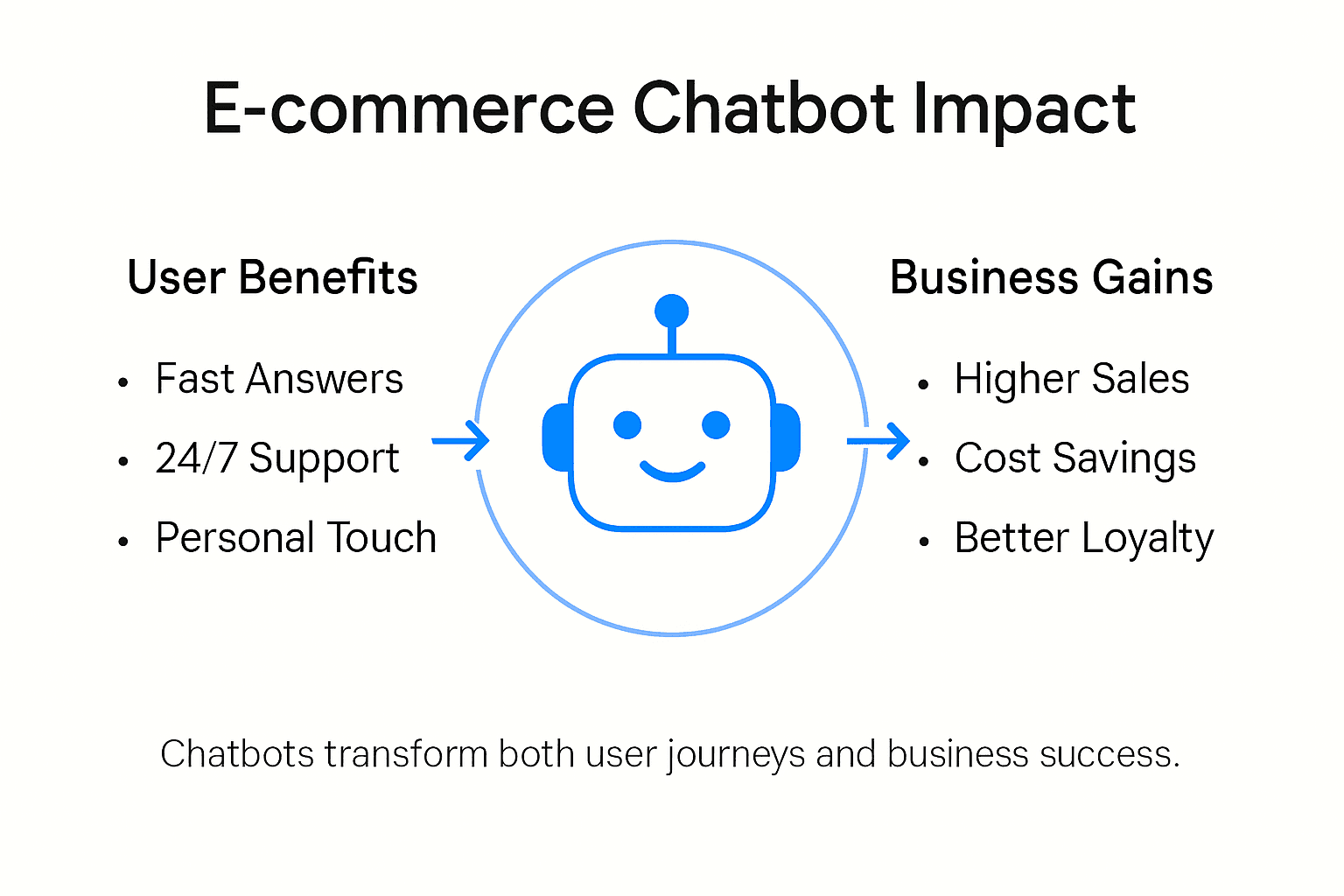
    Most e-commerce managers know that more than 80 percent of online shoppers expect instant support during purchases. Yet creating seamless chatbot experiences often feels out of reach for small business teams without technical backgrounds. With fierce global competition and rising user expectations, understanding chatbot user experience means more than just quick replies. This practical guide breaks down how smart, human-like AI chatbots can help you improve customer support, maximize satisfaction, and cut frustration for online shoppers.

    Table of Contents

    Key Takeaways

    Point Details
    User Experience Matters Focus on creating chatbots with intuitive navigation, rapid problem resolution, and emotional intelligence to enhance customer satisfaction.
    Understand Chatbot Types Select the appropriate chatbot type—rule-based, AI-powered, or hybrid—based on your business needs and customer engagement objectives.
    Prioritize Key Features Implement advanced features such as contextual understanding and real-time responses to improve overall user interaction and engagement.
    Continuous Improvement Regularly gather user feedback and refine chatbot functionality to address issues and enhance performance based on real-world interactions.

    Defining Chatbot User Experience in E-commerce

    Chatbot User Experience (CUX) in e-commerce represents the comprehensive interaction between online shoppers and automated conversational interfaces designed to enhance customer engagement and support. Exploring the intricate design methodologies of chatbot interactions reveals a complex landscape where technology meets human communication expectations.

    At its core, chatbot user experience encompasses several critical dimensions that shape customer perception and satisfaction. These include interface design, conversational flow, personalization capabilities, response accuracy, and emotional intelligence. Qualitative research on customer perceptions demonstrates that shoppers evaluate chatbots not just on functional performance, but on how closely these digital assistants can mimic genuine human interaction.

    Successful e-commerce chatbot experiences are characterized by intuitive navigation, rapid problem resolution, contextual understanding, and the ability to seamlessly transition between automated responses and human support. Key elements include natural language processing, adaptive learning algorithms, and transparent communication about the chatbot’s capabilities and limitations. By prioritizing user-centric design principles, businesses can transform these digital interfaces from mere transactional tools into meaningful interaction points that build trust and enhance customer loyalty.

    Pro tip: When designing your e-commerce chatbot, focus on creating a conversational flow that feels natural and human-like, prioritizing clarity and empathy over complex technical jargon.

    Types of E-commerce Chatbots and How They Differ

    E-commerce chatbots represent a diverse technological ecosystem, with multiple operational models and interaction strategies designed to meet specific customer engagement needs. These digital assistants can be broadly categorized into three primary types: rule-based, AI-powered, and hybrid chatbots, each offering unique capabilities and interaction approaches for online shopping experiences.

    Rule-based chatbots operate through predefined decision trees and scripted responses, providing straightforward interactions with limited complexity. In contrast, AI-powered chatbots leverage advanced natural language processing and machine learning algorithms to understand context, interpret user intent, and generate more dynamic, personalized responses. Hybrid chatbots represent a sophisticated middle ground, combining structured rules with adaptive learning capabilities to offer more flexible and intelligent customer interactions.

    The technological sophistication of these chatbot types directly impacts their performance across different e-commerce scenarios. Text-based chatbots excel in customer support and product inquiries, voice-enabled chatbots provide hands-free shopping experiences, and advanced AI models can offer personalized product recommendations, handle complex transactional processes, and even simulate human-like conversational nuances. By understanding the strengths and limitations of each chatbot type, businesses can strategically implement solutions that align with their specific customer engagement objectives and technological infrastructure.

    Here’s a summary comparing the main types of e-commerce chatbots and their operational advantages:

    Chatbot Type Core Technology Best Use Case Key Advantage
    Rule-based Scripted decision trees Order queries, FAQ Simple, predictable behaviors
    AI-powered Natural language processing Product recommendations Personalized dynamic replies
    Hybrid Rules + machine learning Complex support, escalation Flexible, intelligent handling

    Pro tip: Select a chatbot type that matches your e-commerce platform’s complexity and customer interaction requirements, prioritizing scalability and adaptability in your implementation strategy.

    Key Features That Shape User Interaction

    Advanced natural language processing technologies are fundamental in crafting sophisticated e-commerce chatbot interactions that go beyond simple transactional exchanges. These technologies enable digital assistants to understand context, interpret nuanced user intents, and deliver personalized responses that feel increasingly human-like and intelligent. By leveraging complex algorithms and domain-specific knowledge graphs, modern chatbots can decode user queries with remarkable precision, transforming traditional customer support paradigms.

    The communication manner of chatbots plays a critical role in shaping user perceptions and engagement levels. Research demonstrates that responsiveness, interaction style, and perceived usability directly impact customer satisfaction, with key interaction features including real-time support, conversational flexibility, and adaptive communication strategies. Successful chatbots balance technical efficiency with emotional intelligence, carefully calibrating their communication tone between professional clarity and conversational warmth to create meaningful digital interactions.

    Manager analyzing chatbot versus human chat interface

    Multilingual capabilities, rapid response generation, and seamless system integrations represent additional crucial features that elevate chatbot performance. These advanced functionalities allow e-commerce platforms to provide consistent, personalized support across diverse customer segments, breaking down communication barriers and enhancing overall user experience. By implementing intelligent recommendation systems, context-aware dialogue management, and sophisticated natural language understanding, chatbots can transform from simple query-response mechanisms to comprehensive digital shopping assistants.

    Below is a reference table outlining critical chatbot features and their business impact:

    Feature User Benefit Business Impact
    Contextual understanding Accurate query responses Reduces support volume
    Emotional intelligence Engaging, human-like dialogue Boosts customer loyalty
    Multilingual support Inclusive global access Expands market reach
    Real-time response Immediate assistance provided Increases conversion rates

    Pro tip: Prioritize chatbot features that create a conversational experience feeling more like a helpful human assistant and less like a robotic information dispenser.

    Real-World Use Cases for E-commerce Managers

    Practical e-commerce chatbot applications reveal transformative potential across multiple operational domains, enabling managers to revolutionize customer interactions through intelligent automation. These digital assistants serve far beyond simple query resolution, functioning as comprehensive support mechanisms that streamline customer engagement, reduce operational costs, and enhance overall shopping experiences. From handling routine customer inquiries to providing personalized product recommendations, chatbots have emerged as critical tools for improving digital commerce efficiency.

    Global retail brands demonstrate sophisticated chatbot implementation strategies that address diverse business challenges. Advanced chatbots now handle complex scenarios such as order tracking, product recommendations, customer support escalation, and even loyalty program management. For example, e-commerce platforms can deploy chatbots to provide instant order status updates, guide customers through return processes, offer size and fit recommendations, and proactively address potential shipping or product concerns before they escalate into formal complaints.

    E-commerce managers can leverage chatbots across multiple strategic dimensions, including customer acquisition, retention, and support optimization. These intelligent systems can qualify leads by engaging potential customers, provide instant product information, manage abandoned cart scenarios, and deliver personalized marketing messages based on individual user behaviors and preferences. By integrating natural language processing and machine learning technologies, chatbots transform from passive communication tools into active business intelligence platforms that continuously learn and adapt to evolving customer expectations.

    Infographic visualizing e-commerce chatbot benefits

    Pro tip: Start with a focused chatbot implementation targeting your most frequent customer interaction points, and gradually expand its capabilities based on real user feedback and interaction data.

    Risks, Challenges, and Common Pitfalls

    User mistrust and technological limitations represent significant challenges in e-commerce chatbot implementation, requiring strategic and nuanced approaches to overcome potential barriers. E-commerce managers must recognize that chatbots are not infallible technological solutions, but complex systems requiring continuous monitoring, refinement, and human oversight. The primary risks emerge from technological constraints, user expectations, and potential miscommunication that can dramatically impact customer experience and brand perception.

    Legal and operational risks present another critical dimension of chatbot deployment, demanding rigorous compliance and proactive risk management strategies. Potential challenges include data privacy concerns, potential exposure to biased responses, insufficient user consent mechanisms, and regulatory non-compliance. Advanced chatbots must navigate complex ethical landscapes, ensuring transparent communication, protecting user data, and maintaining appropriate boundaries between automated and human-driven interactions.

    Common pitfalls in chatbot implementation often stem from overestimating technological capabilities and underestimating the importance of human-centric design. Critical failure points include inadequate natural language processing, poor conversation flow, lack of emotional intelligence, and ineffective escalation protocols for complex customer inquiries. Successful chatbot strategies require continuous learning algorithms, robust error handling mechanisms, and seamless integration with human customer support teams to address scenarios beyond automated resolution.

    Pro tip: Implement comprehensive testing protocols and maintain a flexible chatbot infrastructure that allows rapid adjustments based on real-world user interactions and feedback.

    Best Practices for Optimizing Chatbot Experience

    Empirical research reveals critical strategies for enhancing chatbot user experience through sophisticated personalization and contextual adaptation techniques. Successful e-commerce chatbots go beyond simple scripted interactions, employing advanced emotional intelligence and rapid intent recognition to create meaningful digital conversations. By understanding and anticipating user needs, these intelligent systems can transform routine customer interactions into personalized, engaging experiences that build trust and drive customer satisfaction.

    Holistic design approaches emphasize the critical balance between technological automation and human-like empathy, requiring a nuanced implementation strategy. Key optimization practices include developing context-aware conversational flows, integrating seamless human handoff mechanisms, and continuously refining interaction models based on real-world user feedback. Successful chatbots must dynamically adjust their communication style, technical depth, and problem-solving approach to match individual user preferences and inquiry complexity.

    Implementing robust feedback collection and analysis mechanisms represents a fundamental best practice for ongoing chatbot optimization. E-commerce managers should focus on creating multi-layered evaluation systems that capture both quantitative performance metrics and qualitative user sentiment. This includes tracking response accuracy, conversation completion rates, user satisfaction scores, and identifying potential interaction bottlenecks that might frustrate customers or impede effective problem resolution.

    Pro tip: Develop a comprehensive chatbot performance dashboard that tracks key interaction metrics and includes direct user feedback channels to enable continuous, data-driven improvements.

    Transform Your E-commerce Chatbot Experience with ChatPirate

    The article highlights crucial challenges e-commerce businesses face such as delivering accurate, human-like conversational flows combined with rapid problem resolution and seamless escalation to human agents. You want a solution that not only improves customer satisfaction but also reduces operational costs and boosts engagement through personalization, real-time responses, and emotional intelligence in chatbot interactions. ChatPirate.io addresses these needs by offering AI-powered customizable chatbots that learn from your own website content and knowledge base to provide instant, context-aware support 24/7.

    With easy integrations on popular platforms like WordPress and Shopify, ChatPirate simplifies deploying scalable chatbots without coding skills. Features such as seamless human handoff, analytics dashboards, and lead generation tools empower you to optimize your customer interactions continuously. Start improving your e-commerce success today by transforming chatbot user experience into a competitive advantage.

    Ready to elevate your customer support and engagement? Discover how ChatPirate can help you implement AI chatbots tailored to your e-commerce goals.

    https://chatpirate.io

    Start your free trial or book a demo now at https://chatpirate.io and see how smarter chatbot technology can drive conversion and satisfaction.

    Frequently Asked Questions

    What is Chatbot User Experience (CUX) in e-commerce?

    Chatbot User Experience (CUX) refers to the quality of interactions between online shoppers and chatbots, including factors like interface design, conversational flow, and personalization, which ultimately shape customer satisfaction.

    What are the different types of e-commerce chatbots?

    E-commerce chatbots can be categorized into three main types: rule-based chatbots, AI-powered chatbots, and hybrid chatbots. Rule-based chatbots follow predefined scripts, AI-powered chatbots utilize natural language processing for dynamic interactions, and hybrid chatbots combine both approaches for flexible user engagement.

    How can chatbots enhance the customer experience in e-commerce?

    Chatbots improve customer experience by providing real-time support, personalized product recommendations, and seamless transitions between automated responses and human assistance, ultimately enhancing engagement and satisfaction during online shopping.

    What are some common challenges in implementing e-commerce chatbots?

    Challenges include user mistrust due to technological limitations, insufficient natural language understanding, and legal risks related to data privacy. To succeed, businesses need to prioritize user-centric design and ensure ongoing monitoring and improvement of chatbot performance.

  • Website Chatbots: What They Are and Why They Matter 2025

    Website Chatbots: What They Are and Why They Matter 2025

    As digital experiences continue to evolve, website chatbots have become one of the most effective tools for improving customer support, increasing conversions, and streamlining online interactions. Whether you’re running an online business, a SaaS platform, or a service-based website, understanding how chatbots work — and how to implement them correctly — is essential in 2025.

    Below, we break down the most common questions people ask about website chatbots, how they function, and what makes them so valuable.


    What Is a Website Chatbot?

    A website chatbot is a software tool that interacts with users through a chat interface embedded directly on a webpage. Visitors can type questions, request help, or get information instantly — without needing a human support agent.

    Chatbots generally fall into two categories:

    • Rule-based chatbots:
      These follow predefined scripts or decision trees. If a user selects an option or types a recognized phrase, the bot responds accordingly. They’re ideal for predictable tasks such as FAQs, simple troubleshooting, or directing users to the right page.
    • AI-powered chatbots:
      These use natural language processing (NLP) and machine learning to understand user questions, even when phrased conversationally. AI chatbots can interpret context, learn from interactions, and deliver more natural responses.

    What Is the Best Chatbot for a Website?

    There is no one universal “best” chatbot — the ideal choice depends on your website’s goals.

    However, in 2025, AI-powered chatbots generally outperform traditional rule-based systems in areas like:

    • Customer support
    • Lead qualification
    • Onboarding
    • Product guidance
    • Troubleshooting
    • Sales assistance

    AI chatbots offer more flexibility, more natural conversation flow, and significantly better user satisfaction. For businesses that need automated support with minimal maintenance, an AI-driven website chatbot is typically the strongest option.


    How to Create a Chatbot for a Website

    Implementing a chatbot has become far more accessible in recent years. Most businesses follow one of two paths:

    1. Install a chatbot widget

    This involves embedding a small script on your site that loads the chat interface. After installation, you can configure responses, set up common questions, and connect the bot with your website content or knowledge base.

    2. Build a custom chatbot solution

    Some sites require advanced behavior, deeper integrations, or AI-driven responses. In these cases, developers build custom chatbots that can:

    • Pull information from documentation
    • Analyze user messages
    • Provide tailored answers
    • Interact with internal data sources
    • Automate workflows

    Both approaches work — the key is choosing the method that aligns with your website size, audience, and support needs.


    Is a Chatbot the Same as ChatGPT?

    No — ChatGPT is a language model, while a chatbot is the application created to interact with website visitors.

    The relationship is similar to this:

    • Language model: The intelligence that understands and generates text
    • Chatbot: The interface, logic, and user-facing tool that delivers responses on your website

    Many modern chatbots use language models to power their responses, but the chatbot itself includes additional features like routing rules, branding, conversation settings, and integrations.


    Is the Chatbot Free?

    Some chatbots offer free tiers, though these usually include limitations such as:

    • A cap on monthly messages
    • Restricted features
    • Limited customization
    • Branding displayed on the widget

    For full functionality — especially for AI-powered chatbots — businesses typically use a paid plan. Costs usually scale with usage, making it affordable for small websites while still capable of handling large volumes for growing businesses.


    How Do Chatbots Actually Work?

    Chatbots follow a simple workflow, even if the underlying technology is complex:

    1. A user sends a message
    2. The chatbot analyzes the intent
    3. The bot selects or generates the appropriate response
    4. The message is sent back to the user instantly

    Rule-based chatbots rely on predefined actions.
    AI chatbots use NLP to interpret context, understand tone, and answer a wider range of questions more naturally.

    In many cases, chatbots can also:

    • Trigger automated actions
    • Lead visitors through step-by-step guidance
    • Collect user information
    • Suggest relevant content or next steps

    This makes them extremely versatile and valuable across different industries.


    What Is an Example of a Chatbot?

    Examples of chatbots include:

    • A website assistant that answers questions about pricing, products, or services
    • A support widget that helps users troubleshoot common issues
    • A conversational guide that walks new users through onboarding
    • A lead capture chat that qualifies customers before handing them to sales

    Essentially, any interactive chat interface that automates responses is considered a chatbot.


    What Is the 30% Rule in AI?

    The 30% rule is a well-known principle in AI automation. It states:

    If an AI system can reliably automate at least 30% of a task, implementing it typically becomes cost-effective.

    Customer support is a prime example. AI-powered chatbots often automate far more than 30% of repetitive inquiries, making them a strong investment for websites that receive ongoing questions.


    How to Tell if Someone Is Using a Chatbot

    While AI chatbots are increasingly realistic, certain clues can reveal you’re not talking to a human:

    • The response appears instantly
    • The writing style remains perfectly consistent
    • Answers are structured and overly clear
    • The bot never expresses frustration or confusion
    • Replies cover all parts of a question, even vaguely phrased ones

    Highly advanced chatbots can be more subtle, so distinguishing them from humans is becoming more difficult.


    Final Thoughts

    Website chatbots have become essential tools for modern businesses. They improve user experience, reduce support workload, and help guide visitors seamlessly through your website. Whether your goal is to assist customers, increase conversions, or automate repetitive tasks, a well-implemented chatbot can deliver significant value — especially when powered by modern AI technology.

  • How AI Chatbots Improve Customer Support Response Times

    How AI Chatbots Improve Customer Support Response Times

    In the digital era, customers expect fast, effortless, and accurate support—often within seconds. Businesses that fail to provide quick responses risk losing customers to competitors who offer smoother experiences. This is where AI chatbots have become indispensable. They dramatically improve support response times while maintaining high-quality assistance, ultimately boosting customer satisfaction and operational efficiency.

    Below, we’ll explore how AI chatbots optimize response times, why speed matters more than ever, and how companies can integrate them effectively.


    Why Fast Response Times Matter

    Customer expectations have evolved. A few years ago, waiting minutes—or even hours—for an email reply might have been acceptable. Today, research shows:

    • 82% of customers expect immediate responses on live chat.
    • 90% consider quick support critical to their overall experience.
    • Slow responses cost businesses billions annually due to cart abandonment and churn.

    Fast, reliable support is now a core part of the customer journey. AI chatbots help businesses meet these rising expectations.


    1. AI Chatbots Offer Instant, 24/7 Responses

    The most significant advantage of AI chatbots is availability. While human agents typically work in shifts, chatbots:

    • Never sleep
    • Never take breaks
    • Never get overwhelmed by request volume

    When visitors land on your website—at 3 PM or 3 AM—an AI chatbot is always ready to answer questions. This eliminates the most common cause of slow support: waiting for an agent to become available.

    For global businesses serving multiple time zones, 24/7 coverage is no longer optional. AI chatbots make continuous support simple and cost-effective.


    2. They Handle High Volumes Without Slowing Down

    Human agents can realistically manage one to three chat conversations at a time. During peak hours, queues grow quickly, leading to longer wait times.

    AI chatbots, however, can handle hundreds or thousands of conversations simultaneously, delivering consistent speed regardless of volume. This scalability prevents bottlenecks during:

    • Sales campaigns
    • Holiday shopping seasons
    • Product launches
    • Customer service surges

    When support volume spikes, chatbots absorb the majority of inquiries instantly, allowing human agents to focus on complex issues that genuinely require human judgment.


    3. AI Provides Immediate Answers to Common Questions

    Studies show that over 60% of customer support questions are repetitive and predictable, such as:

    • “Where is my order?”
    • “How do I reset my password?”
    • “What’s your return policy?”
    • “Do you ship internationally?”

    AI chatbots excel at handling these frequently asked questions with instant, accurate answers. They pull information from:

    • Knowledge bases
    • FAQ pages
    • Product databases
    • Customer order systems

    By instantly resolving routine inquiries, chatbots drastically reduce response times and eliminate unnecessary workload for human agents.


    4. AI Chatbots Route Customers to the Right Agent Quickly

    Not every issue can—or should—be solved by a chatbot. But AI can still reduce response times in these situations by:

    • Automatically categorizing inquiries
    • Prioritizing based on urgency
    • Forwarding customers to the correct department
    • Providing agents with context before they take over

    This intelligent routing minimizes the back-and-forth that normally slows down human support.

    For example, instead of asking a customer five questions to determine the issue, a chatbot can gather all the essential details within seconds.


    5. Predictive AI Improves Speed Through Personalization

    Modern AI chatbots don’t just react—they predict what customers need based on:

    • Past conversations
    • Browsing behavior
    • Purchase history
    • Account details

    This allows them to provide faster, more relevant answers.

    Example: If a customer recently placed an order, the chatbot may proactively ask:

    “Are you checking on the status of your recent order?”

    By anticipating customer needs, AI reduces the number of steps required to resolve issues—speeding up support and improving satisfaction.


    6. AI Integrations Reduce Time to Resolution

    Advanced AI chatbots integrate with various tools, enabling faster support:

    • CRM systems (HubSpot, Salesforce)
    • Ecommerce platforms (Shopify, WooCommerce)
    • Order tracking systems
    • Billing portals
    • Ticketing systems

    Because they have access to real-time data, chatbots can provide instant updates like:

    • “Your order is out for delivery.”
    • “Your account renewal date is April 12.”
    • “Your refund has already been processed.”

    This lightning-fast data retrieval means customers don’t wait for agents to look up information manually.


    7. AI Reduces Human Error and Miscommunication

    Human agents may misunderstand customers, make mistakes, or misread requests—leading to slower resolutions.

    AI chatbots, however:

    • Interpret queries consistently
    • Provide standardized answers
    • Eliminate guesswork
    • Use natural language processing to clarify intent

    Reducing errors leads to faster and more accurate support experiences.


    Conclusion: AI Chatbots Are Essential for Fast, Modern Customer Support

    AI chatbots are no longer a novelty—they’re a core part of customer support infrastructure. They dramatically improve response times by:

    • Providing 24/7 instant assistance
    • Handling unlimited conversations
    • Resolving repetitive questions instantly
    • Routing customers intelligently
    • Using real-time data to answer questions
    • Reducing human workload and errors

    Businesses that adopt AI chatbots don’t just improve support speed—they improve satisfaction, reduce costs, and create a more seamless online experience.

    In a world where speed defines customer loyalty, AI chatbots are a competitive advantage you cannot afford to overlook.

  • Why an AI Website Chatbot Is Essential — and How ChatPirate Helps

    Why an AI Website Chatbot Is Essential — and How ChatPirate Helps

    In today’s fast-moving digital landscape, customer expectations have changed dramatically. People no longer want to search through long FAQ pages, wait for email replies, or deal with slow support processes. They want instant answers, real-time assistance, and a smooth experience from the moment they land on your website. This shift has made AI chatbots not just useful, but essential for modern businesses — regardless of size or industry.

    An AI chatbot bridges the gap between your business and your visitors by offering instant responses 24/7. Whether it’s helping someone choose the right product, answering pre-sale questions, troubleshooting, or capturing potential leads, a chatbot acts as your always-available digital assistant. And when implemented correctly, it becomes a powerful tool that boosts conversions, reduces workload, and dramatically improves customer experience.

    This is exactly where ChatPirate stands out.

    24/7 Customer Support Without Extra Staff

    Customers expect immediate service, but hiring round-the-clock staff can be expensive or unrealistic. An AI chatbot solves this effortlessly. With ChatPirate, your website gains a tireless virtual assistant that responds instantly — day, night, weekends, holidays — ensuring no visitor ever feels ignored.

    Even when your team is offline, ChatPirate continues assisting, guiding, and engaging your visitors in real time. That means fewer missed opportunities and more satisfied users.

    Instant, Accurate Answers That Increase Trust

    Nothing kills a sale faster than confusion or uncertainty.

    A visitor wants to know:

    • “Do you ship to my country?”
    • “How long is your return window?”
    • “Which plan is best for me?”

    If they don’t find answers quickly, they leave.

    ChatPirate solves this by using AI trained on your business content — your website, FAQs, documents, support guides, and more. This ensures that every answer matches your brand, your policies, and your tone of voice. The result is a consistent, accurate information source that builds trust.

    Higher Conversions Through Smart Engagement

    One of the biggest advantages of using an AI chatbot is the ability to turn passive visitors into active customers. Instead of waiting for users to reach out, ChatPirate initiates conversations based on user behavior. It can:

    • Highlight offers or promotions
    • Guide visitors to the right product or service
    • Capture emails and qualify leads
    • Answer objections instantly
    • Provide tailored recommendations

    This level of personalized engagement boosts conversions because it feels like a real conversation — not a cold, static website.

    Massive Time & Cost Savings

    Many businesses struggle with repetitive questions that drain support resources. If your team spends hours answering the same inquiries, it becomes expensive and inefficient.

    ChatPirate automates these repetitive tasks effortlessly. It can handle the majority of routine questions, freeing your human support team to focus on complex, high-value issues. Over time, this reduces support costs while significantly improving response quality.

    The result?
    A leaner, more efficient support workflow that saves money without sacrificing customer satisfaction.

    Powerful Lead Capture & Qualification

    A website form is passive — users have to decide to fill it out. Most don’t.

    An AI chatbot, however, can start the conversation naturally. Because ChatPirate engages visitors interactively, users feel more comfortable sharing their questions, interests, and contact details.

    ChatPirate can:

    • Collect names and emails
    • Ask qualifying questions
    • Segment leads
    • Send leads to your CRM or email marketing platform
    • Schedule meetings or demos

    This transforms your website into a proactive sales machine rather than a static brochure.

    Better Customer Insights Through Chat Analytics

    Understanding your audience is key to improving your business. AI chatbots are a goldmine of customer insights because they capture real conversations — real concerns, questions, doubts, and goals.

    ChatPirate provides analytics that help you identify:

    • Common customer pain points
    • Missing website information
    • Product confusion
    • Demand trends
    • Opportunities for new content or offerings

    By studying what visitors ask your chatbot, you gain clarity about what your customers truly need — and how you can serve them better.

    Seamless Integration and Easy Setup with ChatPirate

    Some businesses avoid chatbots because they think setup is complicated — but ChatPirate removes all of that friction.

    With ChatPirate, adding an AI chatbot to your website takes minutes, not weeks. You simply:

    1. Create your chatbot inside ChatPirate
    2. Connect your website content or upload files
    3. Customize the chatbot’s appearance
    4. Embed a small code snippet on your site

    No developers, no technical headaches, just instant AI support running on your website.

    A Competitive Advantage You Can’t Ignore

    Businesses that use AI chatbots provide faster support, smoother user journeys, and more personalized customer experiences. Those that don’t risk falling behind.

    Consumers compare experiences across websites. If your competitor offers instant, intelligent, personalized engagement and you don’t — it’s a problem.

    ChatPirate gives your business the competitive edge it needs to stand out. It modernizes your website, elevates customer experience, and improves conversions — all while reducing your workload.


    In a digital world where speed, convenience, and personalization matter more than ever, having an AI chatbot like ChatPirate isn’t optional — it’s essential.

    Your customers are ready. Your competitors are evolving. The question now is:
    Is your website keeping up?

    If not, ChatPirate is the easiest, fastest, and smartest way to get there.