
Every online store owner knows how quickly customer support can become overwhelming as sales grow and questions pile up. For E-commerce managers working across diverse regions, finding a solution that balances efficiency with a personal touch is challenging. By focusing on a step-by-step approach to setting up an easy-to-use chatbot, this guide reveals how intelligent chatbot integration can relieve repetitive support tasks, foster seamless engagement, and make your support team’s workload more manageable.
Table of Contents
- Step 1: Assess ChatPirate.io Integration Needs
- Step 2: Register and Configure Your ChatPirate.io Account
- Step 3: Customize Chatbot Appearance and Branding
- Step 4: Train Your Chatbot with Store Content
- Step 5: Deploy Chatbot on Your Online Store
- Step 6: Test and Optimize Chatbot Performance
- Compare Major ChatPirate.io Setup and Improvement Steps
Quick Summary
| Important Insight | Detailed Explanation |
|---|---|
| 1. Identify Automation Opportunities | Assess customer support to find repetitive interactions suitable for AI to handle and improve efficiency. |
| 2. Ensure Technical Compatibility | Evaluate your systems for API connections to guarantee that ChatPirate.io integrates smoothly with your e-commerce platform. |
| 3. Customize for Brand Identity | Tailor your chatbot’s appearance and tone to match your brand, creating a cohesive customer experience that reflects your company’s style. |
| 4. Continuously Train Your Chatbot | Regularly update training content based on customer interactions to enhance response accuracy and relevance. |
| 5. Test and Optimize Regularly | Conduct performance reviews weekly to improve chatbot effectiveness and adapt responses to better meet customer needs. |
Step 1: Assess ChatPirate.io Integration Needs
Successfully integrating an AI chatbot into your e-commerce platform requires strategic planning and a clear understanding of your specific support requirements. Your goal is to map out exactly how an intelligent chatbot can transform customer interactions and streamline your operational workflow.
Starting your assessment involves examining your current customer support infrastructure and identifying precise pain points where automation can make significant improvements. Consumer chatbot responses depend critically on task complexity and platform design, which means you need a nuanced approach to implementation. Begin by analyzing your typical customer inquiries tracking common questions, complaint categories, and support request volumes. Look for repetitive interactions that consume substantial agent time yet follow predictable patterns ideal for AI handling.
Carefully evaluate your technical capabilities and integration requirements. This means checking your current website platform, understanding API compatibility, and determining whether ChatPirate.io can seamlessly connect with your existing systems. Some key considerations include response time expectations, multilingual support needs, and the specific types of transactions your chatbot must handle.
Pro tip: Create a detailed spreadsheet documenting every potential customer interaction scenario to help you systematically map out your chatbot integration strategy.
Here’s a summary of critical factors to evaluate before integrating ChatPirate.io:
| Evaluation Area | Why It Matters | Example Questions |
|---|---|---|
| Support Bottlenecks | Identifies automation opportunities | Which issues recur daily? |
| Technical Compatibility | Ensures smooth integration | Can your site handle API connections? |
| Response Expectations | Aligns with customer needs | How fast should replies be? |
| Language Requirements | Provides global customer support | Do you need multilingual assistance? |
Step 2: Register and Configure Your ChatPirate.io Account
Your journey to implementing an intelligent e-commerce chatbot begins with creating a robust and secure ChatPirate.io account. This crucial first step sets the foundation for your automated customer support strategy, ensuring you have the right access and configuration to maximize your chatbot’s potential.
To get started, navigate to the ChatPirate.io website and locate the registration page. Secure login processes require careful credential management and attention to detail. Begin by entering your professional email address, creating a strong password that includes a mix of uppercase and lowercase letters, numbers, and special characters. Select the e-commerce plan that best matches your business size and support volume. During registration, you will be prompted to provide essential information about your business including website URL, expected monthly customer interactions, and primary support languages.
Once your account is created, proceed to the configuration dashboard where you can customize your chatbot’s core settings. This involves uploading your brand logo, selecting color schemes that match your website, and defining initial conversation flows. Pay special attention to the integration settings that will connect your chatbot with your existing e-commerce platform. Review API connection options, test webhook configurations, and ensure smooth data synchronization between your chatbot and customer management systems.

Pro tip: Before finalizing your account setup, create a test conversation flow and run multiple scenarios to verify your chatbot responds accurately and aligns with your brand voice.
Step 3: Customize Chatbot Appearance and Branding
Transforming your ChatPirate.io chatbot from a generic support tool to a powerful brand ambassador requires thoughtful customization that reflects your unique business identity. Your goal is to create a chatbot interface that not only provides excellent customer support but also seamlessly represents your company’s visual and communication style.
Chatbot customization demands careful interface design that aligns with your brand personality. Start by selecting a color palette that precisely matches your existing website and marketing materials. Upload your company logo and choose font styles that echo your brand guidelines. Consider the personality of your chatbot conversational tone choose between professional and formal or friendly and conversational depending on your target audience and industry. In the ChatPirate.io customization dashboard, you can adjust welcome messages, define conversation flows, and set up automated responses that sound authentically like your brand voice.
Pay special attention to the visual and interactive elements of your chatbot. This includes selecting an avatar or character that represents your brand, customizing button styles, and ensuring the chat window design feels integrated with your website aesthetic. Test different configurations to ensure the chatbot feels like a natural extension of your customer experience rather than an obvious third party tool.
Pro tip: Create multiple chatbot design variations and conduct small user tests to determine which version feels most engaging and true to your brand identity.
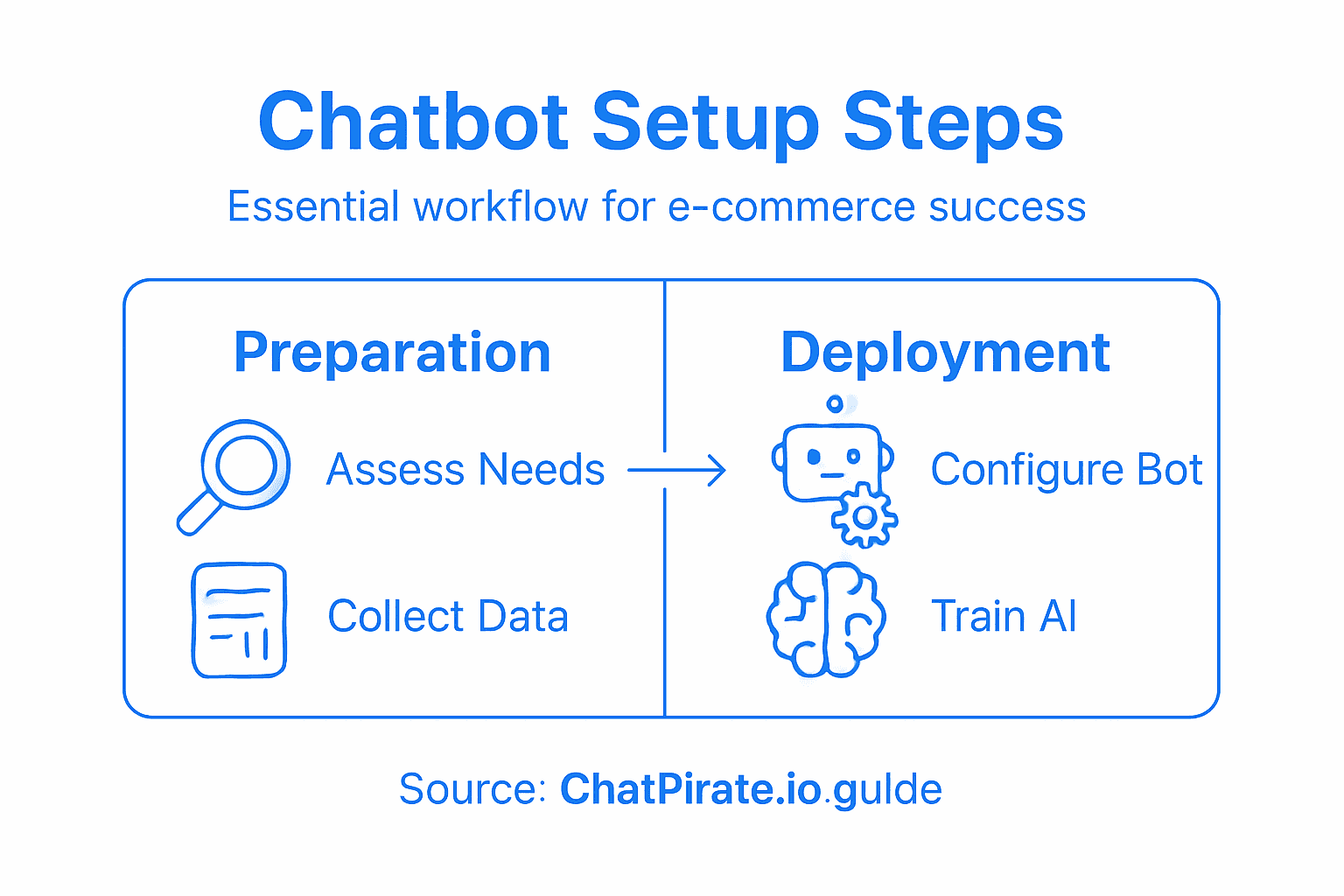
Step 4: Train Your Chatbot with Store Content
Training your ChatPirate.io chatbot transforms it from a generic support tool into a knowledgeable representative of your e-commerce store. Your goal is to create an intelligent assistant that understands your specific products, services, and customer interaction patterns with remarkable accuracy.
Preparing data for AI training requires systematic organization to ensure optimal performance. Begin by gathering critical store content including product descriptions, frequently asked questions, shipping policies, return procedures, and past customer support transcripts. Upload these documents directly into the ChatPirate.io training interface, which uses advanced machine learning algorithms to analyze and extract relevant information. Pay special attention to structuring your content in clear concise formats that help the AI understand context and nuance. This might involve creating dedicated sections for different product categories, organizing support documents by theme, and ensuring each piece of content provides comprehensive yet digestible information.
The training process involves multiple iterative steps. Start with core content uploads, then use the platform’s testing tools to simulate customer conversations and validate the chatbot’s response accuracy. Review interaction logs carefully identify areas where the chatbot might need additional training or clarification. Adjust your training materials based on these insights repeating the process until your chatbot demonstrates consistent and reliable performance across various potential customer interactions.
Pro tip: Create a separate test environment where you can experiment with training scenarios without impacting your live customer support system.
Step 5: Deploy Chatbot on Your Online Store
The final stage of your ChatPirate.io integration involves strategically implementing your newly trained chatbot onto your e-commerce platform. This critical step transforms your carefully configured AI assistant from a concept into an active customer support tool that will enhance user experience and streamline interactions.
Open source deployment platforms offer robust integration strategies that can guide your implementation process. Begin by accessing the integration section within your ChatPirate.io dashboard and selecting your specific e-commerce platform WordPress, Shopify, WooCommerce, or custom website. Each platform requires slightly different embedding techniques so carefully follow the platform specific instructions. Generate your unique chatbot embed code and paste it into the designated area of your website header or footer section. Most platforms provide simple copy paste integration that requires minimal technical expertise.
Verify your chatbot functionality by conducting thorough testing across multiple device types and screen sizes. Check that the chatbot loads correctly responds promptly and maintains the visual branding you established earlier. Pay special attention to mobile responsiveness ensure the chat interface remains clean and accessible on smaller screens. Monitor initial interactions closely and be prepared to make quick adjustments to improve performance and user experience.
Pro tip: Always activate your chatbot in staging or test mode first allowing you to validate performance without risking live customer interactions.
Step 6: Test and Optimize Chatbot Performance
Optimizing your ChatPirate.io chatbot transforms it from a basic support tool into a sophisticated customer engagement platform. Your mission is to continuously refine its performance ensuring precise, helpful, and contextually accurate interactions that elevate your e-commerce customer experience.
Performance benchmarking requires systematic evaluation strategies across multiple interaction scenarios. Start by creating comprehensive test cases that simulate realistic customer inquiries covering product questions, order tracking, returns, and technical support. Utilize ChatPirate.io analytics dashboard to track key metrics including response accuracy, average resolution time, customer satisfaction scores, and conversation completion rates. Review interaction logs meticulously identifying patterns where the chatbot struggles or provides incomplete responses. Pay special attention to edge cases and complex queries that might challenge your AI assistant.
Implement an iterative optimization process where you continuously train and retrain your chatbot based on actual interaction data. Regularly update your knowledge base with new product information, recently added FAQs, and refined conversation flows. Conduct A/B testing on different response strategies and linguistic approaches to determine which communication style resonates most effectively with your specific customer base. Consider creating multiple conversation paths for different customer personas to ensure a more personalized support experience.
Pro tip: Allocate at least 30 minutes weekly to review chatbot performance metrics and make targeted improvements based on actual customer interaction data.
Compare major ChatPirate.io setup and improvement steps:
| Step | Main Activity | Key Outcome |
|---|---|---|
| Configure Account | Set access and preferences | Secure, tailored account |
| Brand Customization | Adjust appearance and tone | Cohesive customer interface |
| AI Training | Upload product/store content | Accurate, useful responses |
| Optimization Cycle | Review performance data | Ongoing chatbot improvement |
Unlock Seamless Chatbot Integration for Your E-Commerce Success
If you found the step-by-step guide on setting up a chatbot helpful but feel overwhelmed by technical details or customization challenges take comfort knowing ChatPirate.io is built to simplify this entire process. The article highlights key hurdles such as assessing your support bottlenecks, configuring your account, customizing branding, training the AI with your store content, and deploying your chatbot without needing advanced coding skills. These steps reflect common pain points where businesses often struggle to balance quick setup with maintaining a unique brand voice and providing accurate 24/7 customer support.
ChatPirate.io offers a streamlined SaaS platform designed to address exactly these challenges and more. Our solution empowers you to create AI-powered chatbots that integrate smoothly with leading platforms like WordPress and Shopify while learning intelligently from your documents and product details. You get the benefit of custom branding that fits your identity and powerful analytics to continuously optimize your chatbot’s performance. Say goodbye to costly support delays and inconsistent replies and hello to rapid, on-brand, automated customer engagement that scales.
Take the next step now by visiting ChatPirate.io to experience how effortless effective chatbot setup can be. Discover detailed features, integration options, and tailored plans built specifically for e-commerce success with intelligent automation.
Boost your customer satisfaction and reduce operational costs with a solution designed to get your chatbot live fast and performing flawlessly. Learn more about setting up your smart assistant at ChatPirate.io and turn your customer support into a competitive advantage.
Drive your e-commerce growth forward by embracing simplicity and power together with ChatPirate.io
Explore how easy chatbot deployment can be for your store and start your free trial at ChatPirate.io today
Frequently Asked Questions
What are the first steps for setting up a ChatPirate.io chatbot for my e-commerce site?
To begin setting up a ChatPirate.io chatbot, assess your integration needs by analyzing your current customer support system and identifying areas for automation. Create a detailed spreadsheet of potential customer interactions to guide your implementation strategy.
How do I customize my chatbot’s appearance and branding?
Customize your chatbot by selecting a color scheme, uploading your company logo, and defining the tone of voice for conversations. This will help your chatbot align with your brand’s visual and communication style, making it feel like a natural extension of your customer experience.
What content should I train my chatbot with to ensure effective performance?
Train your chatbot by gathering essential store content such as product descriptions, FAQs, and support policies. Ensure that the information is well-organized and formatted clearly, which will enable the AI to understand context and provide accurate answers.
How can I ensure my chatbot integration is successful on my online store?
Implement your chatbot by following the integration steps specific to your e-commerce platform and embedding the generated code in the correct section of your website. Conduct thorough testing across multiple devices to verify that the chatbot functions properly and meets user expectations.
What metrics should I monitor to optimize my chatbot’s performance?
Monitor key metrics like response accuracy, average resolution time, and customer satisfaction scores to evaluate your chatbot’s performance. Set aside time weekly to review these metrics and identify areas for improvement, aiming for consistent enhancements over time.
Leave a Reply